Flux
Flux continuously compares the declared configuration in Git with the cluster and applies the intended resources. Flux Operator manages the controllers through the checked-in FluxInstance. The instance watches main at gitops/clusters/lab; it does not deploy arbitrary feature branches.
| Property | Configuration |
|---|---|
| Initial operator installation | Operator bootstrap, outside the GitOps tree |
| Managed instance | gitops/clusters/lab/flux-system/flux-instance.yaml |
| Reconciliation | Source, Kustomize, Helm, notification, image reflection/automation, source-watcher controllers |
| Status interface | Embedded in Flux Operator; no separate UI deployment or data volume |
Initial setup
Follow Flux bootstrap for a fresh cluster. For an existing cluster, check the source URL, revision, and group readiness before considering another installation. Reconciliation explains the independent apps group and the secret delivery chain.
Web UI
The core ingress routes http://flux.homelab.internal to the operator's http-web service port, 9080. Configure local access. The included LAN ingress adds no SSO or external identity provider; this is an administrative interface and should remain private.
For temporary workstation access without the hostname mapping:
kubectl -n flux-system port-forward svc/flux-operator 9080:9080
Open http://localhost:9080. Review available UI actions when upgrading rather than assuming every operator version has identical capabilities.
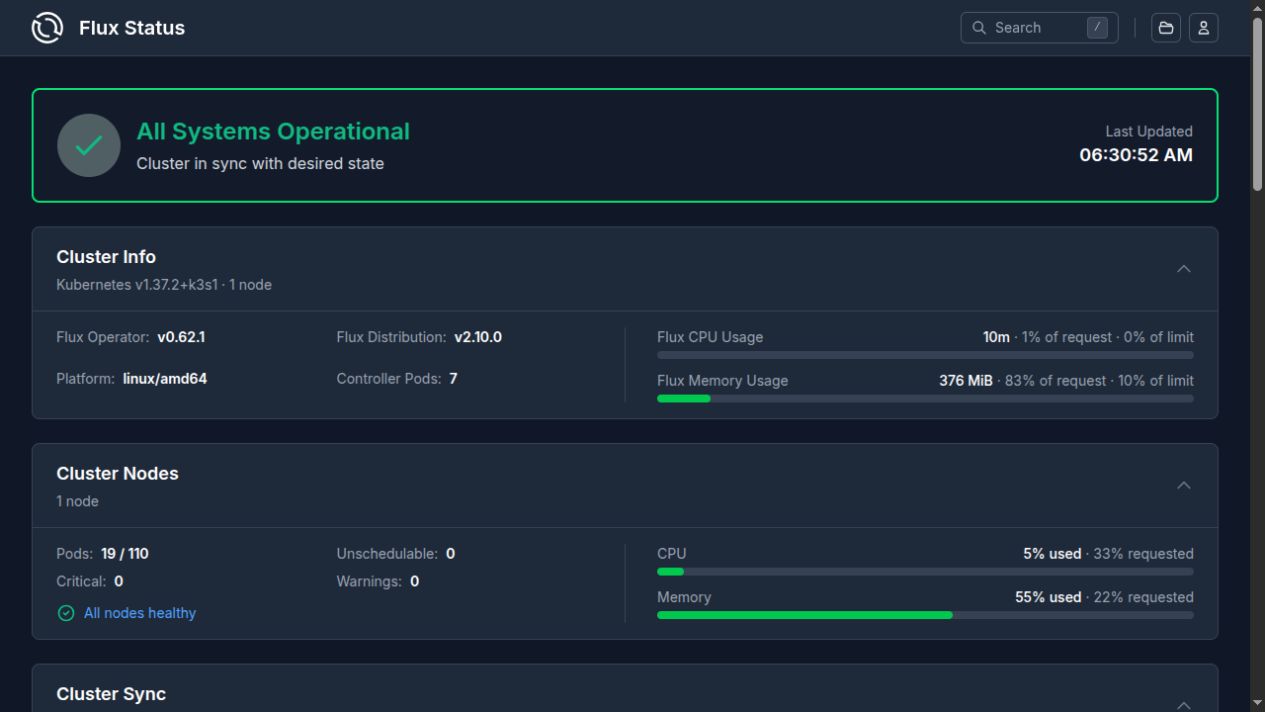
Point-in-time capture: the controller overview complements the resource readiness checks below. An operational controller can still be waiting on a workload's missing credentials or manual bootstrap.
Verify
kubectl -n flux-system get fluxinstance
flux get sources git -A
flux get kustomizations -A
flux get helmreleases -A
Check the source revision and each intended group's conditions. A healthy operator or source alone does not prove every application works. See Flux Operator documentation for installation, upgrades, and the UI.